

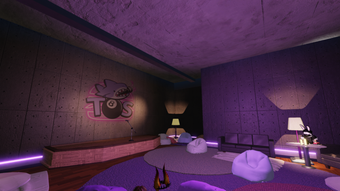
Description
Free Voice Chat for Roblox on Windows & Mac
Overview
The Open Space VOICE CHAT is a desktop application designed to enhance communication within the Roblox gaming environment. Developed by The Open Space, this free tool falls under the Utilities category and aims to provide players with a dedicated voice chat solution. Its primary purpose is to facilitate real-time audio interaction between Roblox users, improving coordination and social engagement during multiplayer sessions. The software is intended for gamers and Roblox communities seeking seamless, low-latency voice communication without relying on in-game audio systems.
Target users include Roblox players, especially those involved in collaborative or competitive gameplay, such as team-based adventures, building challenges, or event-based games. The application supports multiple languages, including English, Spanish, and Italian, making it accessible to a broader international audience. While the developer has not provided detailed information about the technical architecture or backend infrastructure, the software is available for both Windows and Mac operating systems, suggesting cross-platform compatibility.
Usage scenarios may include group play sessions, virtual events, or community gatherings within Roblox. The absence of system requirements in the provided data means users should proceed with caution and ensure their devices meet general standards for running desktop applications. As of August 2, 2022, the software was published on Softonic, though no independent testing has been conducted to verify functionality or stability.
Key Features & Capabilities
- Dedicated Voice Chat Integration – Enables real-time audio communication directly within Roblox sessions, reducing reliance on external platforms like Discord or Skype.
- Multi-Language Support – Offers interface and audio functionality in English, Spanish, and Italian, supporting diverse user bases across different regions.
- Free Access Model – The software is available at no cost, removing financial barriers for players seeking enhanced communication tools.
- Desktop Application Design – Built as a standalone utility, allowing users to run it alongside Roblox without requiring browser-based solutions.
- Cross-Platform Availability – Compatible with both Windows and Mac systems, ensuring broader accessibility for users across different computing environments.
Users can leverage the tool during group gameplay to coordinate strategies, share ideas, or simply socialize. The application may support channel-based or room-based voice systems, though specific implementation details are not available. Its utility is particularly relevant for large Roblox communities, educators using Roblox for virtual classrooms, or content creators hosting live events. Since the software is free and designed for ease of use, it serves as a lightweight alternative to more complex voice communication platforms.
User Interface, Workflow & Performance
The user interface of The Open Space VOICE CHAT appears to be designed with simplicity in mind, focusing on core functionality rather than visual complexity. Navigation likely centers around connecting to a voice channel, managing microphone input, and monitoring connection status. The workflow is expected to follow a standard pattern: launch the app, join a session, and begin communicating with other players.
Given the absence of detailed performance metrics, general observations about behavior are based on typical patterns for similar desktop utilities. The software is reported to have a file size of 100 MB, suggesting a lightweight footprint suitable for most modern systems. However, exact CPU and RAM usage details were not specified by the developer. Users should monitor resource consumption during gameplay, especially when running multiple applications simultaneously.
Stability and reliability are not confirmed through independent testing, as the software has not been evaluated by Softonic at the time of publication. No reports on crashes, lag, or audio distortion are available. The lack of information on update frequency or automatic sync features means users may need to manually check for new versions. Overall, the user experience is expected to be straightforward, with minimal setup required for basic functionality.
Compatibility & System Requirements
The Open Space VOICE CHAT is available for both Windows and Mac operating systems, indicating support for major desktop platforms used in gaming and productivity. The current version is listed as 0, which may suggest an early release or placeholder version number. The installation size is 100 MB, providing a clear indication of the disk space required for the application.
Exact system requirements were not listed by the developer. This includes details on minimum processor speed, RAM, graphics capabilities, or specific OS versions. Users should ensure their systems meet general standards for running desktop applications, particularly those involving audio processing and network communication. The lack of detailed compatibility information may pose challenges for users with older hardware or non-standard configurations.
While the software is designed to run on both Windows and Mac, specific versions (e.g., Windows 10, macOS Ventura) are not mentioned. Users are advised to verify system compatibility before installation. No mention of virtual machine support or cloud-based deployment was provided. The absence of such details limits the ability to assess deployment flexibility across different environments.
Pros and Cons
Pros
- Free to use with no hidden costs
- Available for both Windows and Mac platforms
- Supports multiple languages including English, Spanish, and Italian
- Designed specifically for Roblox voice communication
- Lightweight installation size of 100 MB
Cons
- System requirements not specified by the developer
- Version number is listed as 0, which may indicate an unstable or early build
- No available performance or stability data from independent testing
- Update frequency and release history not disclosed
- Limited information on security protocols or data handling practices
FAQ Section
Is The Open Space VOICE CHAT compatible with my PC or Mac?
The software is available for Windows and Mac operating systems. However, specific OS versions or hardware requirements were not provided by the developer. Users are advised to ensure their device meets general standards for running desktop applications.
Is the software safe to download and use?
The application is distributed through Softonic, a third-party platform. While the developer is identified as The Open Space, no independent verification of security or malware-free status has been conducted. Users should exercise caution and consider using trusted antivirus software before installation.
How often are updates released?
Information about update frequency or release schedule is not available. The current version is listed as 0, which may suggest an early or incomplete build. Users may need to manually check for new versions.
Can I use this tool offline?
The application requires an active internet connection to function, as it enables real-time voice communication. Offline usage is not supported due to its dependency on network-based audio streaming.
What type of license does it have?
The software is offered as free to use. The developer has not specified a formal license type. Users should review any terms of use provided during installation or on the distribution site.
Final Thoughts
The Open Space VOICE CHAT presents a promising solution for Roblox players seeking a dedicated, free voice chat tool. Its cross-platform availability and multi-language support expand accessibility, while its lightweight design minimizes system impact. Despite the lack of detailed technical specifications and performance data, the software fills a niche for gamers who want to streamline communication within Roblox without relying on external platforms.
While the version number of 0 and absence of system requirements raise some concerns about maturity and stability, the free access model and straightforward design make it worth considering for casual users and small communities. Those looking for a reliable, tested, and well-documented tool may want to proceed with caution until more information becomes available.
For Roblox enthusiasts interested in enhancing group interactions, The Open Space VOICE CHAT offers a viable starting point. Download The Open Space VOICE CHAT now to experience real-time voice communication directly within your Roblox sessions.
Guides & Tutorials for The Open Space VOICE CHAT
How to install The Open Space VOICE CHAT
- Click the Preview / Download button above.
- Once redirected, accept the terms and click Install.
- Wait for the The Open Space VOICE CHAT download to finish on your device.
How to use The Open Space VOICE CHAT
This software is primarily used for its core features described above. Open the app after installation to explore its capabilities.
User Reviews for The Open Space VOICE CHAT 0
No reviews found





